alxpanel

Hosting control panel for AlmaLinux 10

One command turns a clean server into a hosting server. alxpanel sets up nginx, Apache, PHP 5.6 to 8.5, MariaDB and a web panel, and keeps every hosting account in its own user, its own PHP processes and its own disk quota.

As root, on a clean AlmaLinux 10 server
dnf install -y https://repo.balcon.od.ua/alxpanel-release.rpm
dnf install -y alxpanel

Prints the panel address, login and a one-time password when done. What the install checks and does

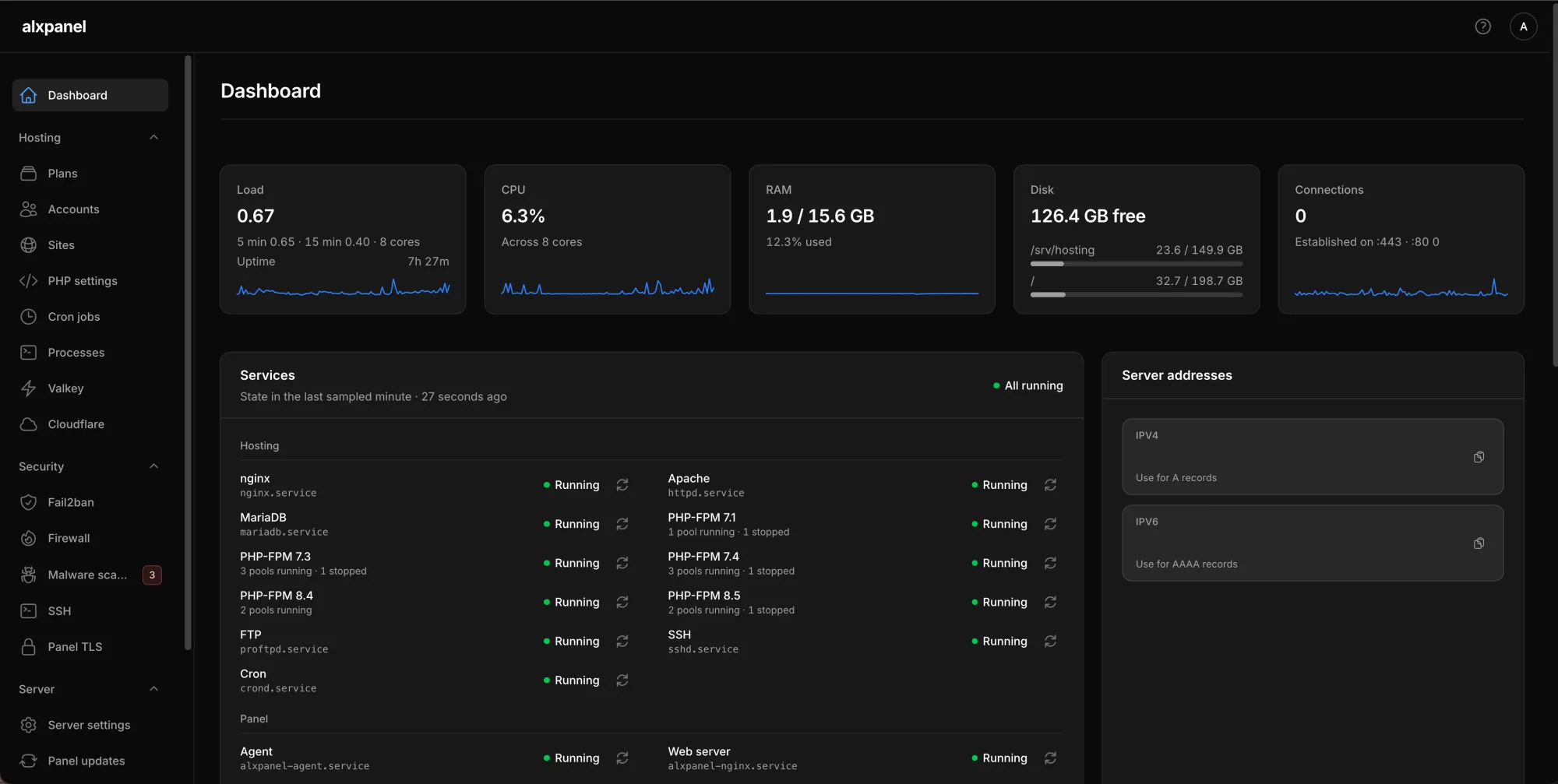
The alxpanel dashboard: server load, CPU, memory, disk and connections, the state of every service, and the menu with hosting, security and server pages.
Current release
0.1.23
Runs on
AlmaLinux 10, x86_64
Installs from
a signed dnf repository
Panel address
https://your-server:8443

What you get

Sites

  • nginx alone, or nginx in front of Apache for sites that need .htaccess
  • PHP 5.6 to 8.5 side by side, with modules and limits you switch from the panel
  • Let's Encrypt certificates, issued and renewed by the panel
  • Compression, browser caching, request timeout and upload size per site
  • Cloudflare DNS records edited from the panel

For each account

  • Databases with phpMyAdmin, and size limits
  • File manager, FTP, SFTP and SSH
  • Cron jobs and long-running background processes
  • A private Valkey (Redis-compatible) store for caches, sessions and queues
  • Backups, access and error logs, a malware scanner

Isolation and security

  • One Linux user per account, with its own PHP-FPM processes
  • Disk quotas, and CPU, memory and connection limits set by plan
  • SELinux stays on
  • Firewall and fail2ban managed from the panel
  • Two-factor sign-in

Running the server

  • Plans with limits, and accounts you can suspend
  • Panel updates from the panel itself, with a snapshot to roll back to
  • A stable channel and a test channel, switched with one click
  • A dashboard that names what needs attention
  • SSH, time zone, log rotation and system updates as panel pages

What the server needs

  • AlmaLinux 10 on x86_64, and root access
  • A server that hosts nothing yet: ports 80, 443 and 8443 free, no other web or database server
  • Internet access to the AlmaLinux, EPEL and Remi repositories

The install checks these before it changes anything, and says what is in the way. Before you start

Where to go next